Copy, Rename, Delete
●Copy
Tap [ ] to the right of the file name you wish to copy in the file list.

The file operation menu will be displayed, so tap "copy".
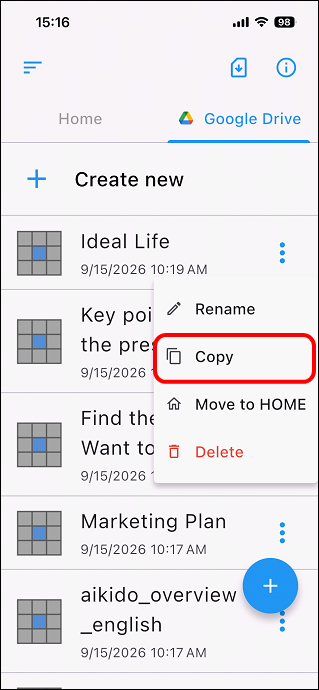
A file with "_copy" in its original name is created.

●Rename
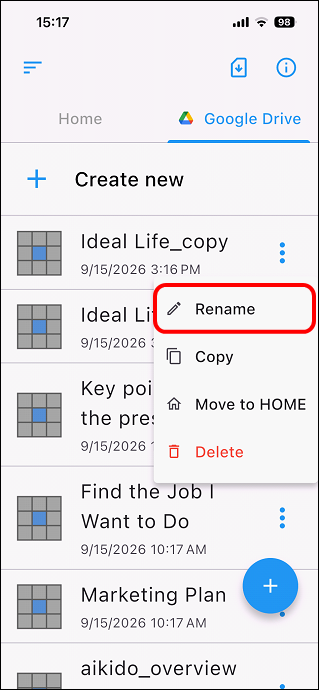
Tap [] to the right of the file name you wish to rename in the file list.

The file operation menu will be displayed, so tap "rename".
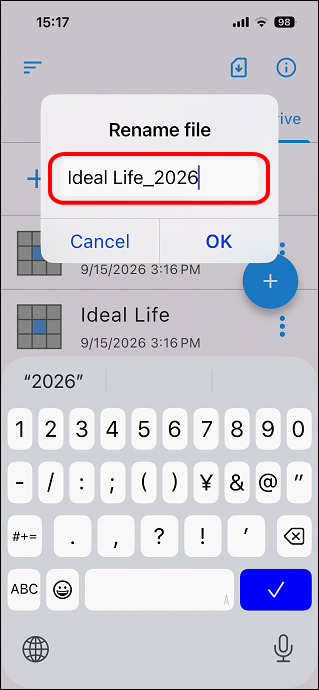
Change the name and tap OK.

●Delete
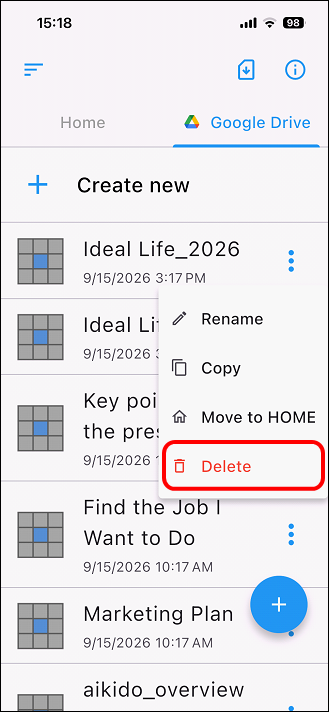
Tap [] to the right of the file name you wish to delete in the file list.

The file operation menu will be displayed, so tap "delete".
A confirmation screen will be displayed, so tap "OK" if you like.


Please note that once deleted, it cannot be restored.